-
11 min read
AI is getting cheaper, so why is GPU compute getting more expensive?

TL;DR
- AWS raised reserved GPU prices on October 7, its third increase of 2026. Meanwhile, AI token prices hit record lows this summer.
- Investor money cushions token prices, but GPU capacity is priced for profit. That cost lands on AI companies’ margins, often once cloud credits run out.
- Compute is now a cost behind every customer served. Leaders should plan procurement strategically and track what each customer and product costs to serve.
- North.cloud helps teams get ahead of rising compute costs. Inside the app, Coverage discounts On-Demand spend without long lock-ins, and Rightsize flags idle capacity. Coststreams ties spend to metrics like cost per customer to understand how your product’s compute is impacting your business.
This summer, the price of using AI fell to record lows. Over the same months, the price of the chips behind it kept climbing. On October 7, Amazon Web Services (AWS) raised reserved GPU prices for the third time in 2026.
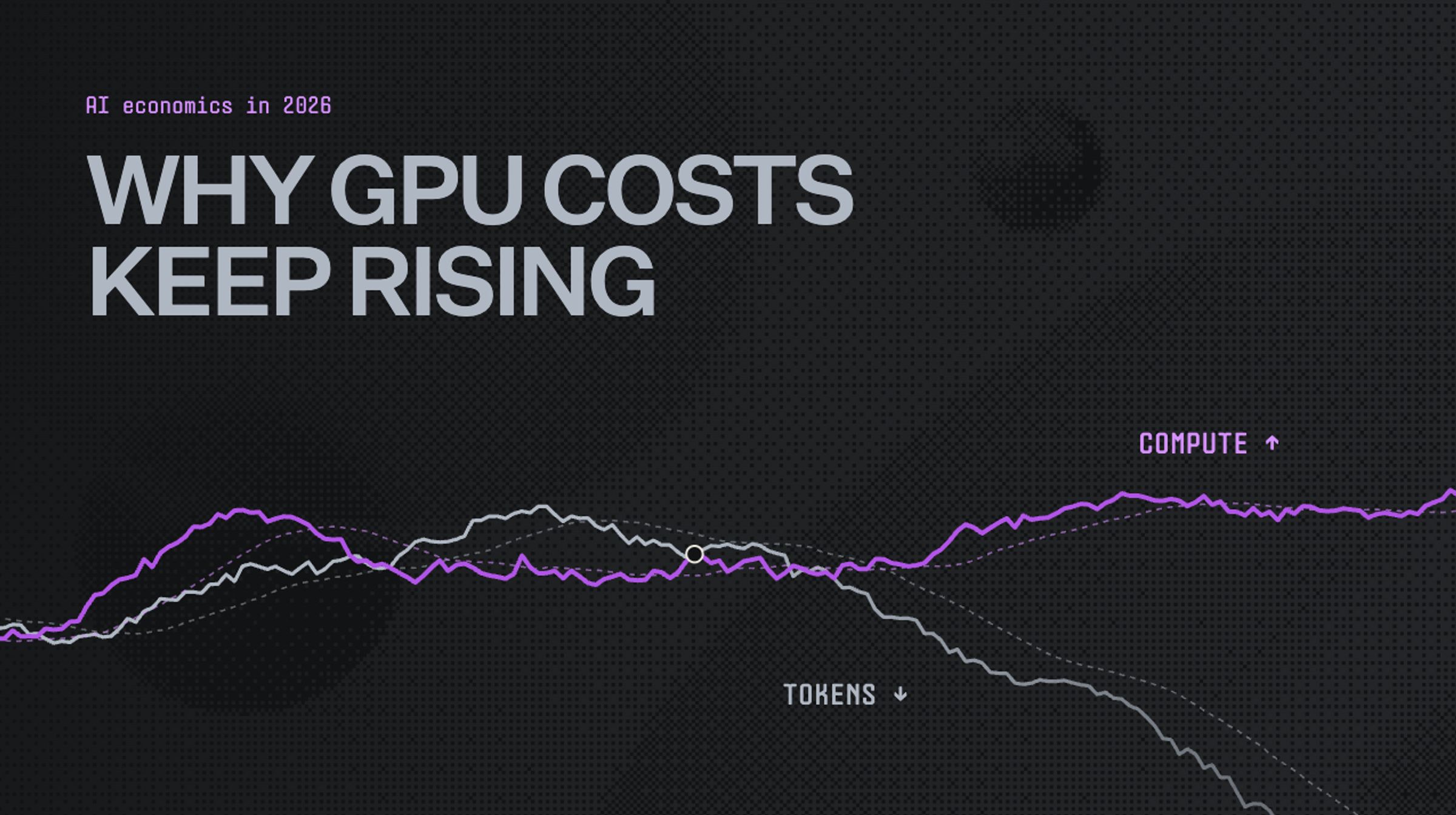
For most of the past year, token prices and compute prices moved together. Then, around early summer, the trend broke. Token prices kept falling, but compute prices held firm. A recent chart from a16z shows exactly where the two lines split.
To me, that gap is the start of a tug-of-war in AI economics. Investor money keeps much of AI cheap to use, particularly for end user licenses. Compute prices answer to supply and demand, so that’s where the real bill lands.
Companies often report that developers and other power users pay 5 to 10 times more per token than general end users. Those licenses stay cheaper because providers cap them with usage and query limits.
A lot of the AI companies we work with are feeling this right now. It hits their margins, and it decides how fast they can ship. Every company will tackle this differently, but here’s how I think about it.
Why AWS’s GPU price increase didn’t surprise me
With the latest increase, EC2 Capacity Blocks for ML rates rose about 15%. The change breaks down like this:
- What went up: Capacity Block rates for B300, B200, H200, and H100 instances.
- What stayed the same: On-Demand and Savings Plans prices for these instances.
- How often: This follows earlier increases in January and July.
| Instance | GPU | Previous price per GPU-hour | Price from Oct 7 |
| P6-B300 | B300 | $14.04 | $16.15 |
| P6-B200 | B200 | $12.36 | $14.21 |
| P5e | H200 | $5.97 | $6.87 |
| P5 | H100 | $5.19 | $5.97 |
A dollar or two per GPU-hour can look minor on a pricing page. At production scale, though, the difference adds up quickly. For a team running 64 GPUs around the clock for 30 days, the increase looks like this:
| GPU | Added cost per GPU-hour | Added cost per month (64 GPUs) |
| B300 | $2.11 | ~$97,200 |
| B200 | $1.85 | ~$85,200 |
| H200 | $0.90 | ~$41,500 |
| H100 | $0.78 | ~$35,900 |
AWS only repriced Capacity Blocks, and that’s the detail worth noticing. The simplest way to think about them is as a reservation:
- Dedicated GPUs: You reserve machines for a set window, from one day up to six months.
- Booked ahead: You can reserve up to eight weeks before your start date.
- Paid upfront: The full fee is due at purchase, and you can’t cancel.
- Guaranteed capacity: The machines are yours when your work starts.
For teams training or running models on a deadline, that guarantee is worth a lot.
Why providers like AWS, are raising prices now
That guarantee is exactly why prices are climbing. AWS sets Capacity Block prices dynamically, based on supply and demand. Right now, demand for GPUs is outpacing how fast they can be made.
With supply this tight, AWS can price for the buyers who need GPUs most. These power users need sustained capacity and will pay a premium to keep it. Those buyers get first pick, and whatever’s left over flows to On-Demand.
I expect more increases like this over the next year or two. They reflect a wider shift, much of it driven by cheaper tokens.
Why supply can’t catch up
More demand would be manageable if supply could grow with it, but it can’t:
- Software scales fast, but chips don’t. You can ship an AI feature overnight. GPUs have to be manufactured, then installed and connected inside a data center. That data center needs enough power and cooling to run them at full load. Securing that power is often the slowest part of the whole build.
- Model providers operate at a loss. This is common, as market leaders are in hypergrowth mode, scaling operations quickly to meet demand, even at a loss. Anthropic & OpenAI operate this way currently, and are both chasing IPO.
- Memory is concentrated. AI chips rely on a specialized type of memory, called high-bandwidth memory. It moves data to the GPU fast enough to keep it working at full speed. Only three companies make it at scale, and they often sell out in advance. When demand spikes, there’s no one else to buy from.
- New capacity takes years. Expanding production means building new chip and memory factories. They’re some of the most complex buildings in the world to construct and equip. Even after construction starts, it can take years before one produces anything. Until then, everyone competes for the supply that already exists.
Until supply catches up, compute stays expensive, even as tokens keep getting cheaper. That gap will likely last for years, not quarters. For companies selling AI products, it lands right on their margins.
Token prices have a cushion that GPU prices don’t
Every token runs on compute, but the two are priced separately. Model providers buy GPU time and sell tokens. When token prices drop, they can absorb the difference for a while.
Token prices can fall this fast partly because someone else is covering that gap. Many model providers run at a loss, funded by private investment. They’re spending to win customers and grow their market. That gap will close eventually. When it does, many companies built on today’s token prices will be left scrambling. They’ll need a new plan to make money.
GPU capacity doesn’t get that same cushion. Its providers are typically public hyperscalers, and earnings reports put their pricing under scrutiny.
The two markets also behave differently. GPU buyers look for availability first and price second. With LLMs, it can be the opposite. The category is crowded, prices keep falling, and billions in private money subsidize it.
Providers want people using their models. They’ve accepted that losing money now is unavoidable, but fixable later. Whether it is remains to be seen.
How I’d prepare for rising compute costs
As compute costs rise, every AI company has two levers to protect its margins:
- Raise prices. That’s hard when token prices keep falling and cheaper options are everywhere.
- Lower costs. Compute providers are unlikely to cut their prices, so efficiency has to come from within.
Here’s how I’d approach the cost side, ideally before that cliff arrives.
01. Treat compute procurement as a leadership decision
Your cloud contracts decide how many GPUs you can get, and how fast. That makes procurement a business decision, not just an engineering task. I’d give it the same weight as hiring an executive. Leadership and the board should align on it, as they would on strategy.
In practice, that means answering a few questions early:
- How much compute does the roadmap need? Plan GPU needs alongside product plans, not after them.
- What can we afford? Set targets that fit your operating model and cost model.
- Where will it come from? Know which vendors and contracts you’ll rely on before you need them.
02. Discount your On-Demand spend early
Commitments like AWS Savings Plans offer deep discounts on steady compute usage. The catch is the term: one or three years, with no way to change it. That’s a hard call when your usage could double next quarter.
There are ways to get commitment pricing without carrying all of that risk yourself. North’s Coverage does it in two ways, depending on who owns the contract:
- Flexbot: North holds the commitment, so you get long-term savings with month-to-month flexibility. Coverage adjusts as your usage shifts.
- Autobot: For commitments in your own accounts, it buys in small monthly steps. If usage drops, it scales coverage back down.
Before buying, you can simulate how each mix affects savings and flexibility.
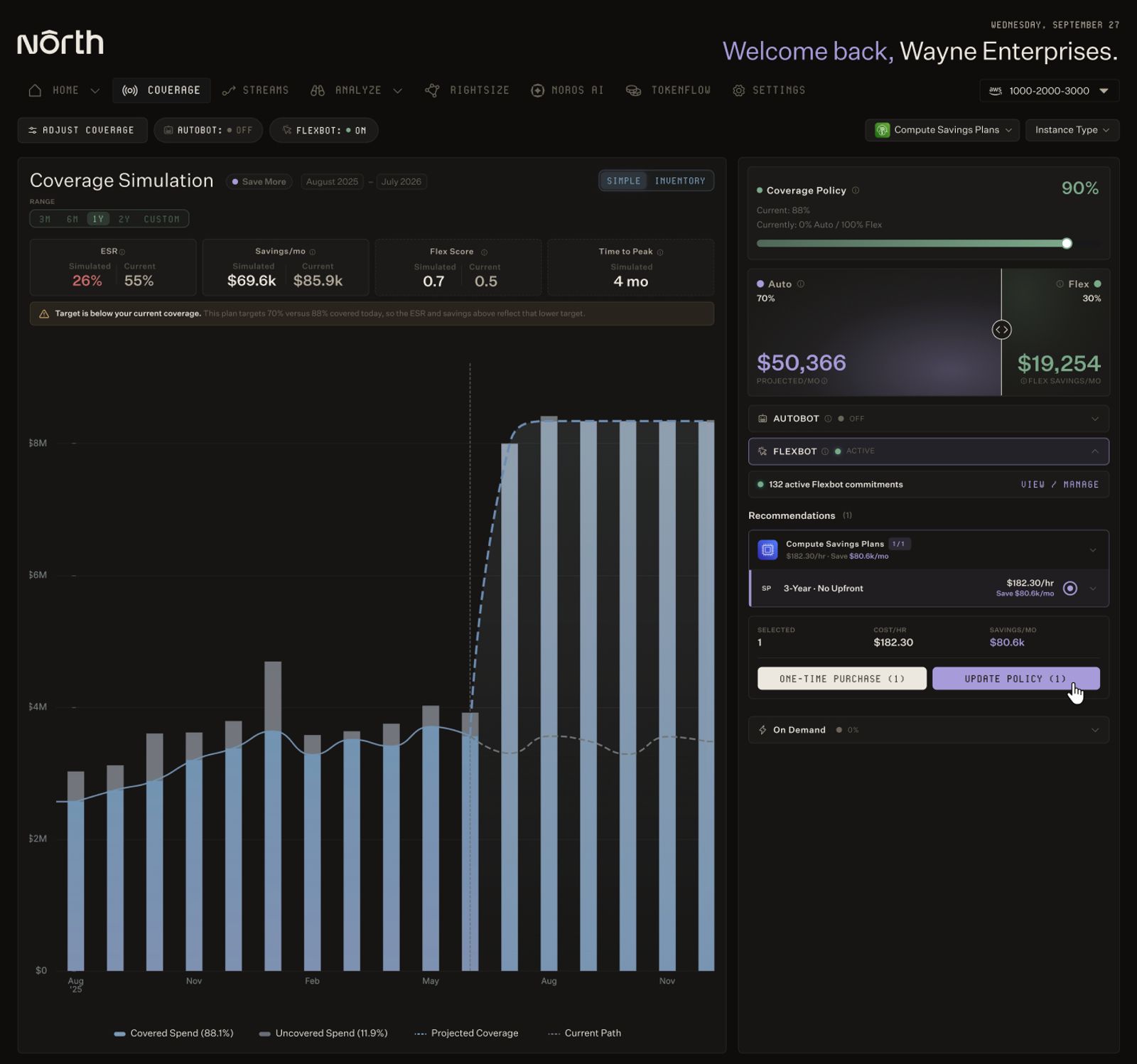
Coverage lets teams test a commitment plan before buying. This view simulates a 70/30 split between Autobot and Flexbot.
Either way, steady GPU usage stops sitting at On-Demand rates while you plan. It’s one of the most common reasons AI companies come to North.
03. Close the gap between what you provision and what you use
Cloud providers bill for the capacity you reserve, whether you use it or not. Say a team reserves high-end GPUs that sit idle most of the month. Switching to pay-as-you-go pricing could cost less until demand picks up. Reserved blocks like the ones AWS just repriced are paid upfront, used or not.
The goal is the most compute power for every dollar you spend. In this market, that ratio decides how fast you can move.
Spotting that gap by hand is slow, and the work never stays done. Usage shifts week to week, so last month’s review is already out of date. We built Rightsize to handle that for you. It uses machine learning to find machines that are bigger than needed, sitting idle, or ready to scale down. For each one, you see why it was flagged and what fixing it would save.
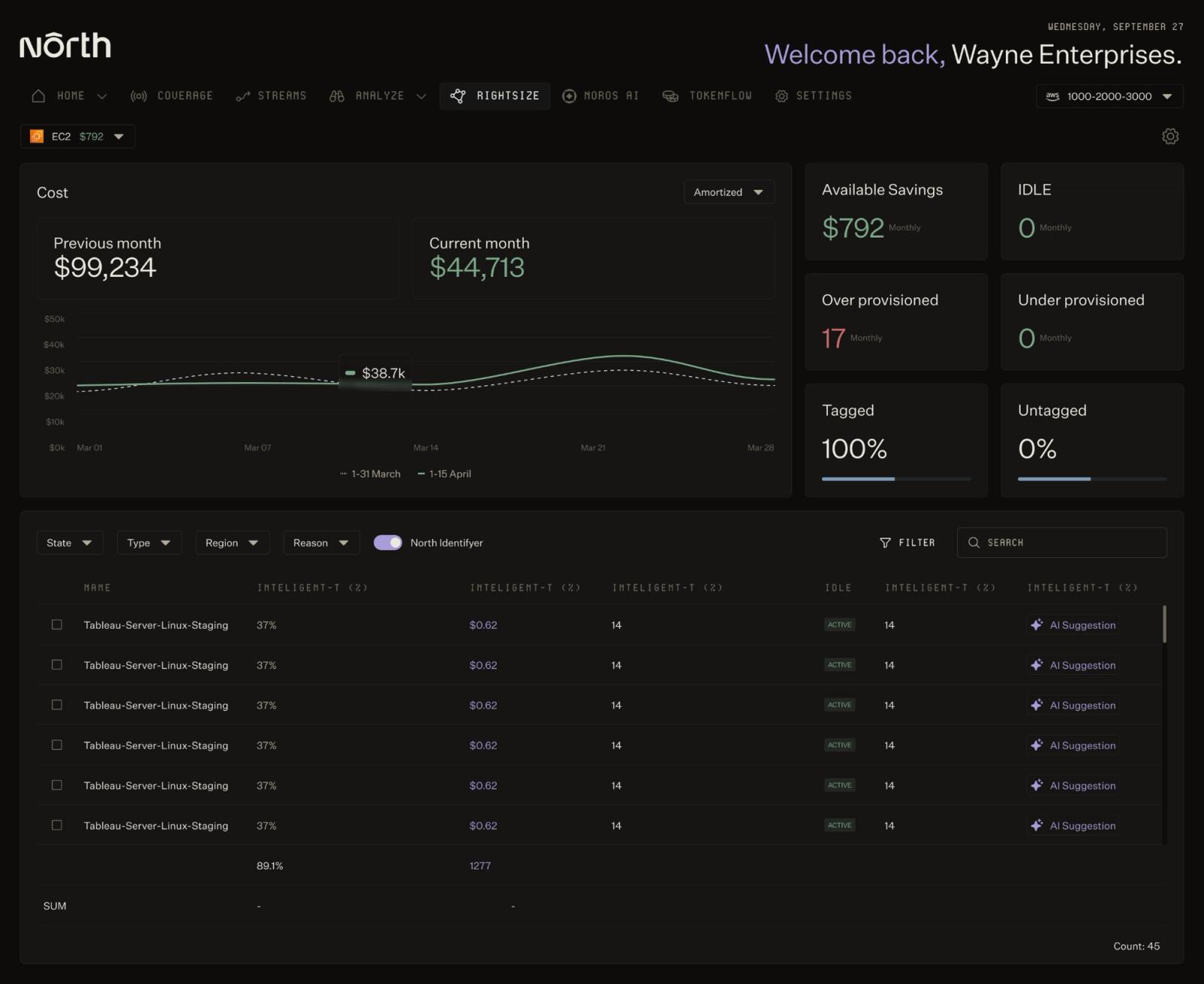
Rightsize flags oversized and idle machines, with the expected monthly savings for each.
You also decide how far it goes. Critical workloads can be marked off-limits, and changes can stay conservative until you’re comfortable. Fixes can go straight to the owning team in tools like Jira. That way, savings don’t stall in someone’s backlog.
04. Decide what’s worth building and running
AI has made building software faster and cheaper than ever. When building gets easier, the hard part becomes deciding what to build. Every product you ship needs compute to keep running, long after launch.
I’d venture that many software companies support five to ten products. Only one or two may make financial sense, and they might not know it. It’s hard to tell, because tech costs are tough to untangle. Products share infrastructure, teams, and features, so the costs easily blur together.
The first step is pulling that spend apart by product line, and many of our customers do that inside North’s Coststreams.
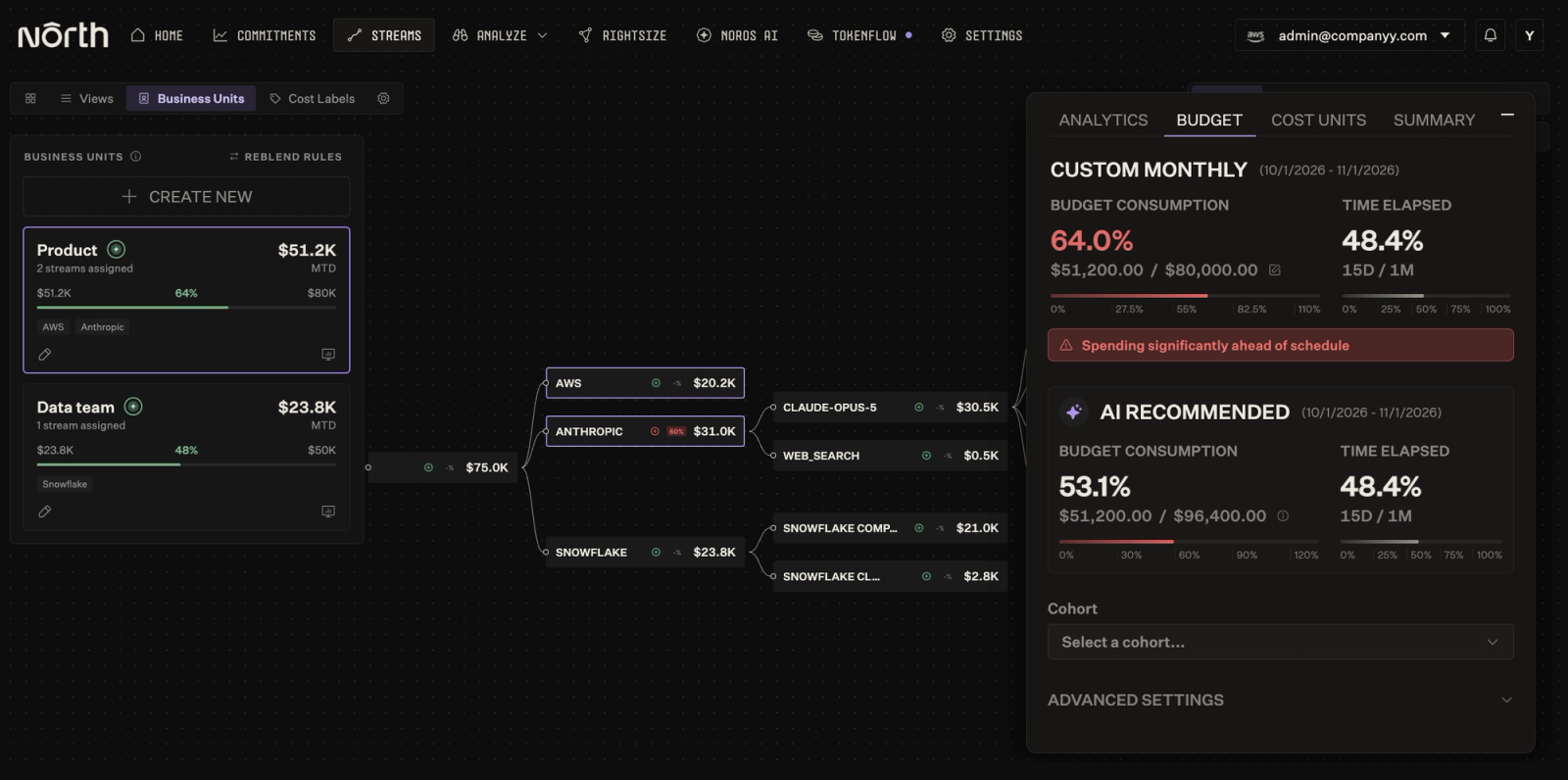
Track cloud, data and AI spend by business unit, and see when a team is on pace to blow its budget.
Each product line becomes its own business unit, with its own budget and owners. Cost Units then tie that spend to a metric you choose, like cost per customer. The numbers update in near real time, so finance, product, and engineering share one figure. If one product costs more to serve every month, you’ll see it early.
05. Keep more than one path to compute
Compute is starting to behave more like oil than a utility. It’s scarce, so you need to be ready to source it from more than one place:
- New vendor relationships, including newer clouds built specifically for AI workloads.
- More than one cloud, with all your spend visible in one place.
- Lighter, open models for workloads that don’t need a frontier model.
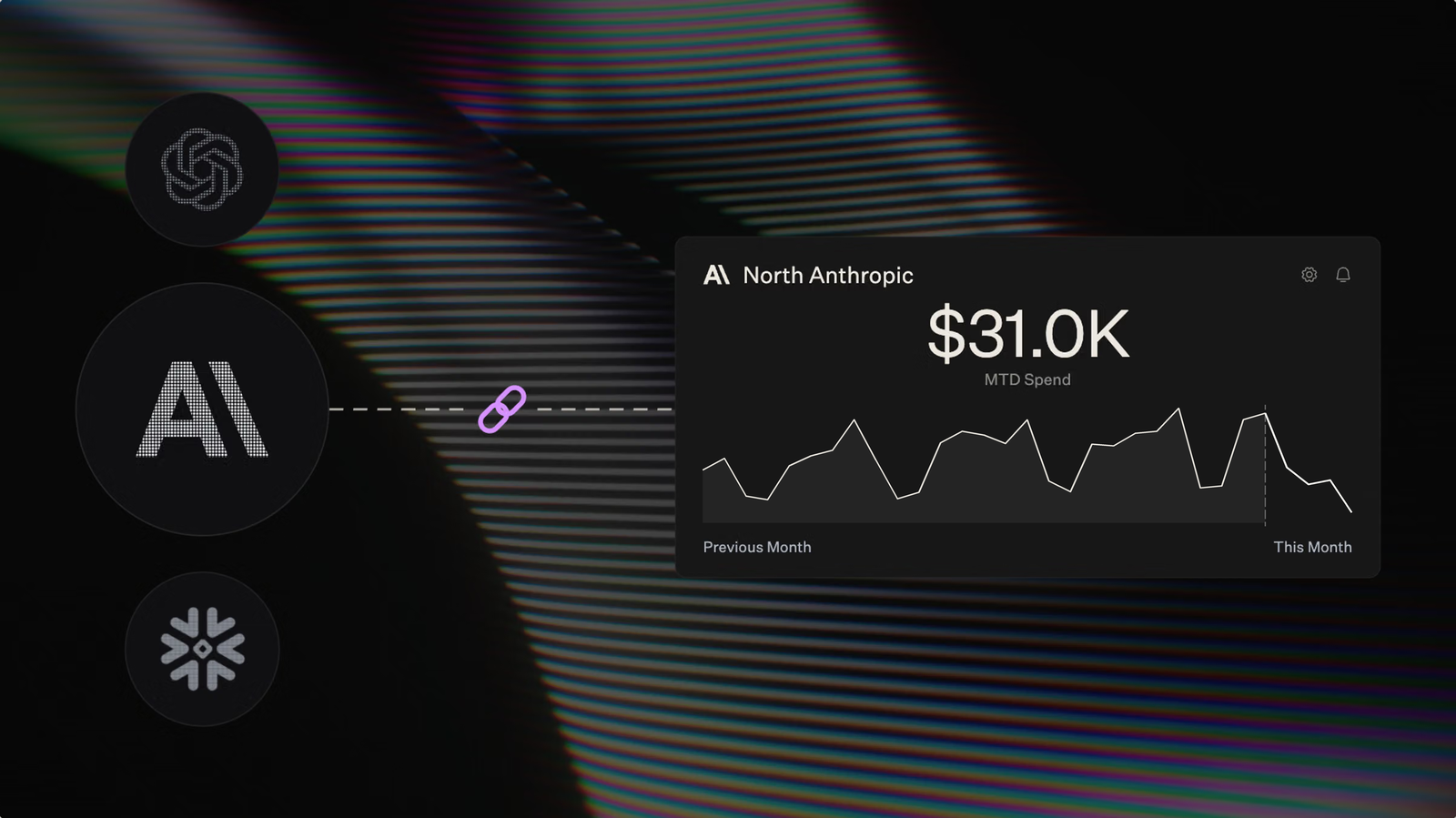
Every new provider adds another bill, priced and formatted its own way. That makes it hard to compare GPU costs across vendors on equal terms. Before adding a provider, make sure you can see all your spend side by side. In North, Analyze gives you that view across cloud, data, and AI spend. That includes AWS, Azure, and GCP alongside Snowflake, Datadog, OpenAI, and Anthropic, with more to come.
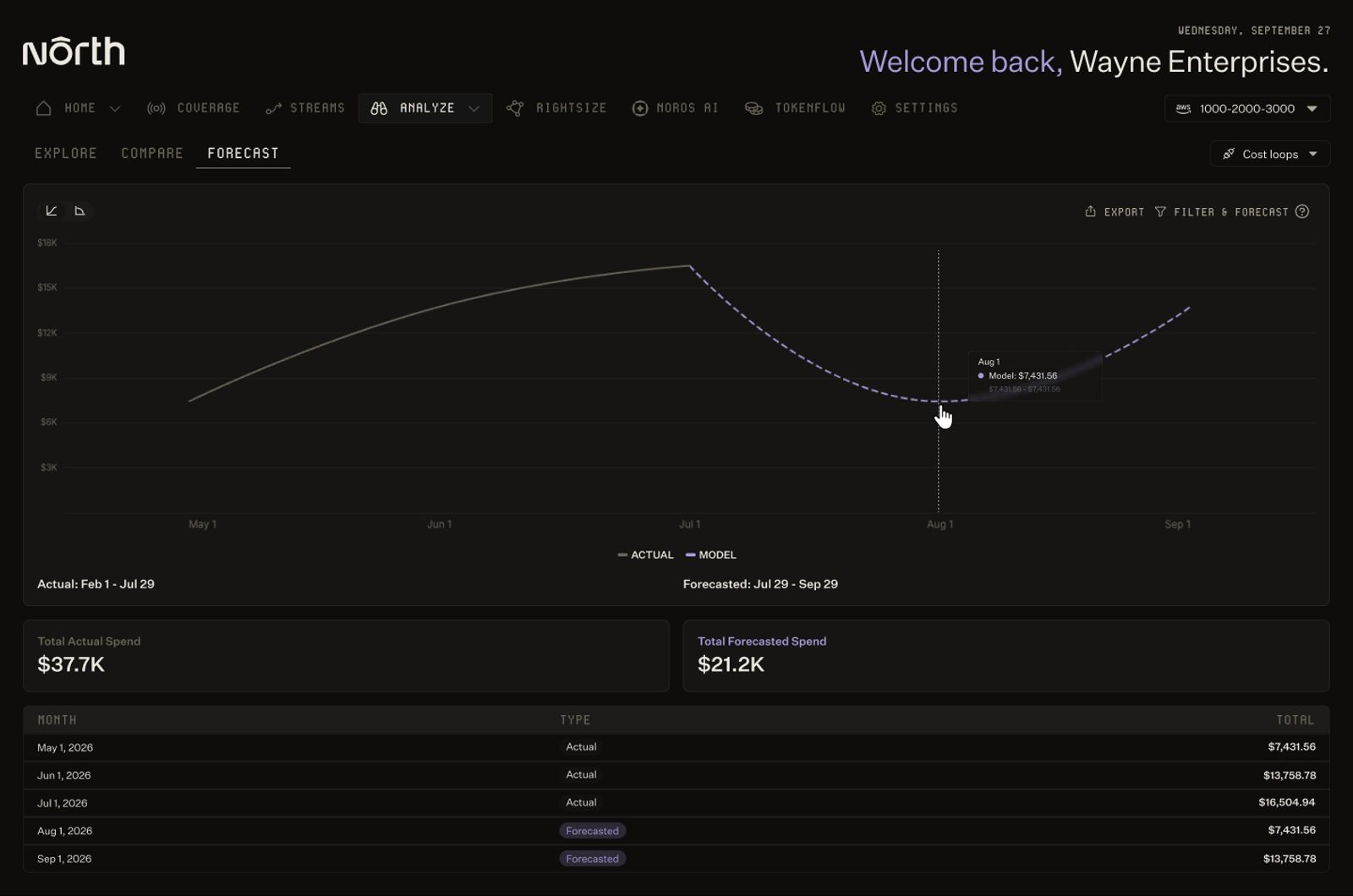
Analyze forecasts spend from actual usage, so teams can plan before the bill arrives.
Planning for a decade of scarce compute
If anything, I expect the shortage to get worse before it improves. We’re also early in figuring out what AI really costs. Private investment is covering a lot of it today, but that can’t last indefinitely.
Eventually, the market will pull every AI company toward sustainable margins. It’s always better to get ahead of that pull than to scramble later.
Don’t get me wrong, cheaper tokens are great for anyone building with AI. But every new use they unlock runs on the same scarce compute.
So the cost of AI is moving, and it’s landing on your infrastructure bill.
The teams that get this right will know what each customer costs to serve. They’ll buy compute strategically and keep their options open as the market shifts.
Explore North’s free tier to see where your compute spend is going today.

FAQs
Answers to common questions about the product or feature covered in this post.
Did AWS raise GPU prices in 2026?
Yes. AWS raised EC2 Capacity Blocks for ML prices in January, July, and October 2026. The October 7 increase was about 15%, covering B300, B200, H200, and H100 instances.
What are EC2 Capacity Blocks for ML?
Capacity Blocks let teams reserve dedicated GPU instances for a set window. Reservations last from one day to six months. They can be booked up to eight weeks in advance. The full fee is paid upfront, and blocks can’t be canceled.
Why are GPU prices rising if AI is getting cheaper?
Cheaper tokens make AI worth using for more tasks, which increases total compute demand. GPU supply grows slowly, limited by power, specialized memory, and factory capacity. With demand outpacing supply, compute prices stay high even as tokens get cheaper.
What is the Jevons paradox in AI?
The Jevons paradox describes how cheaper resources often lead to higher total use. Economist William Stanley Jevons observed it with coal in the 1860s. In AI, cheaper tokens are driving more usage, which raises demand for compute.
Why did AI token prices fall in 2026?
Cheaper open models arrived around midyear, some nearly matching frontier model performance. Frontier labs responded by lowering their own prices.
What happens when cloud credits expire?
When credits run out, compute is billed at full On-Demand rates. For growing startups, that can mean a sudden jump in cloud costs. Planning commitments before credits expire can soften that jump. North.cloud helps teams lock in commitment savings early, without a long-term lock-in.
How can AI companies lower GPU costs?
Start by discounting steady usage with commitments, ideally without long lock-ins. Then close the gap between the capacity you reserve and what you use. Tracking cost per customer and product shows which workloads are worth running.
North.cloud helps with much of this, from managing commitments as usage shifts to flagging idle machines. It also ties spend to business metrics like cost per customer.
How can I get Savings Plans discounts without a three-year commitment?
How do I find idle or oversized cloud resources?
Reviewing usage by hand is slow, and results go stale as usage shifts. North.cloud’s Rightsize uses machine learning to flag machines that are idle, oversized, or ready to scale down. Each flag shows the reasoning and expected savings. Fixes can go straight to the owning team in tools like Jira.
How do I calculate what each customer costs to serve?
Start by grouping spend by product line or team. In North.cloud’s Coststreams, each group becomes a business unit with its own budget and owners. Cost Units then divide that spend by a metric you choose, like customers or clicks. The numbers update in near real time.
Can I track cloud, data, and AI spend in one place?
Yes. North.cloud’s Analyze brings AWS, Azure, and GCP spend into one view. It also covers data and AI platforms, including Snowflake, Datadog, OpenAI, and Anthropic. That makes it easier to compare costs across vendors on equal terms.
How can I see where my compute spend is going today?
North.cloud’s free tier lets you connect your cloud accounts and see your spend in one place. It’s a quick way to find where costs are growing before the bill does it for you.